Every order, clear to the whole kitchen.
Show orders big on any TV. Bump, recall and track them hands-on from an iPad or any tablet.
Big-screen TV display
Control on iPad or tablet
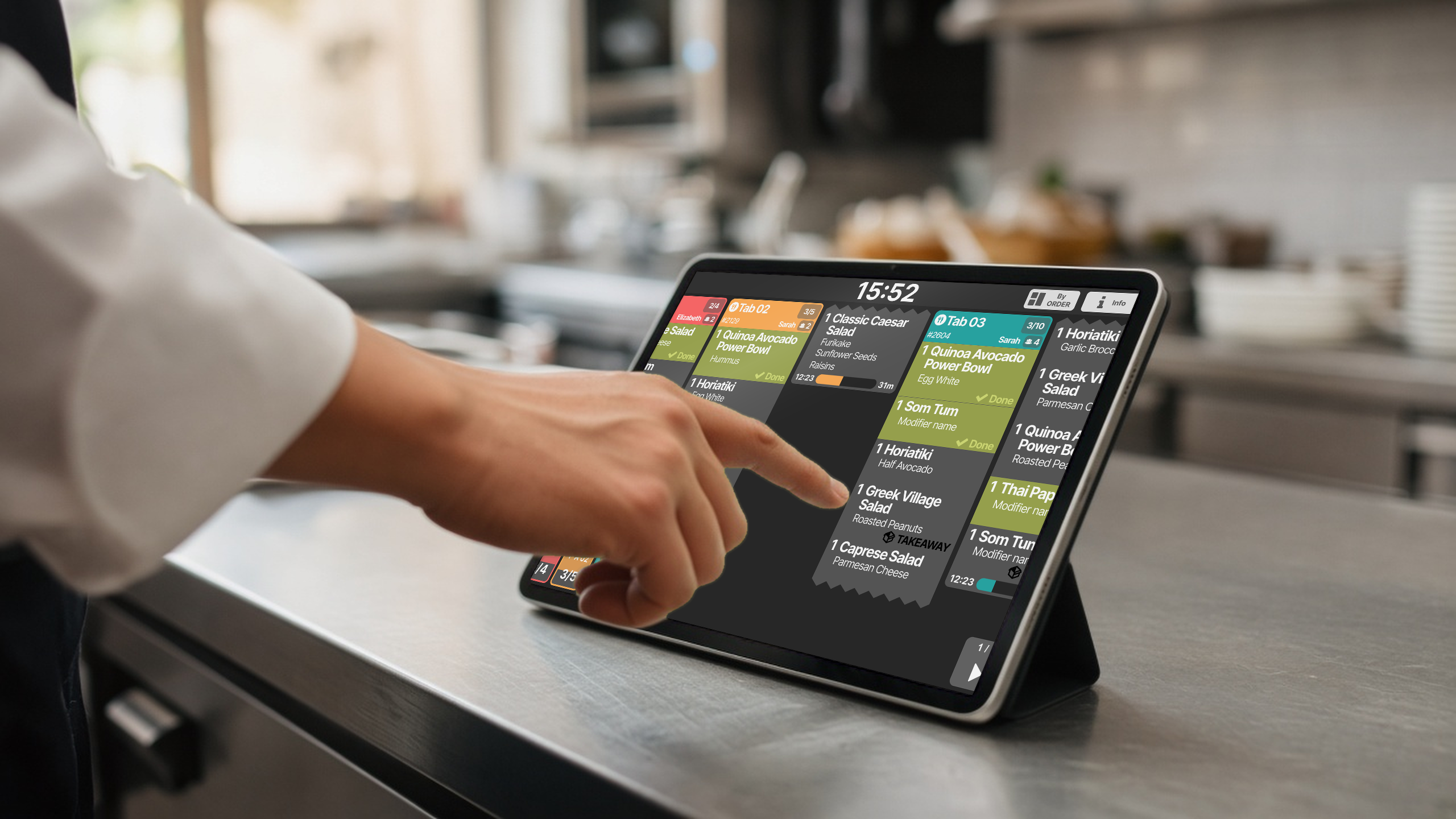
Hands-on
One tap. Next order.
Tap an item when it's done. Bump the ticket when it's out. No paper, no shouting, no lost orders.
- Simple, streamlined operation
- More done per service
- A calm kitchen, even at peak
Readability
Easy to read at a glance.
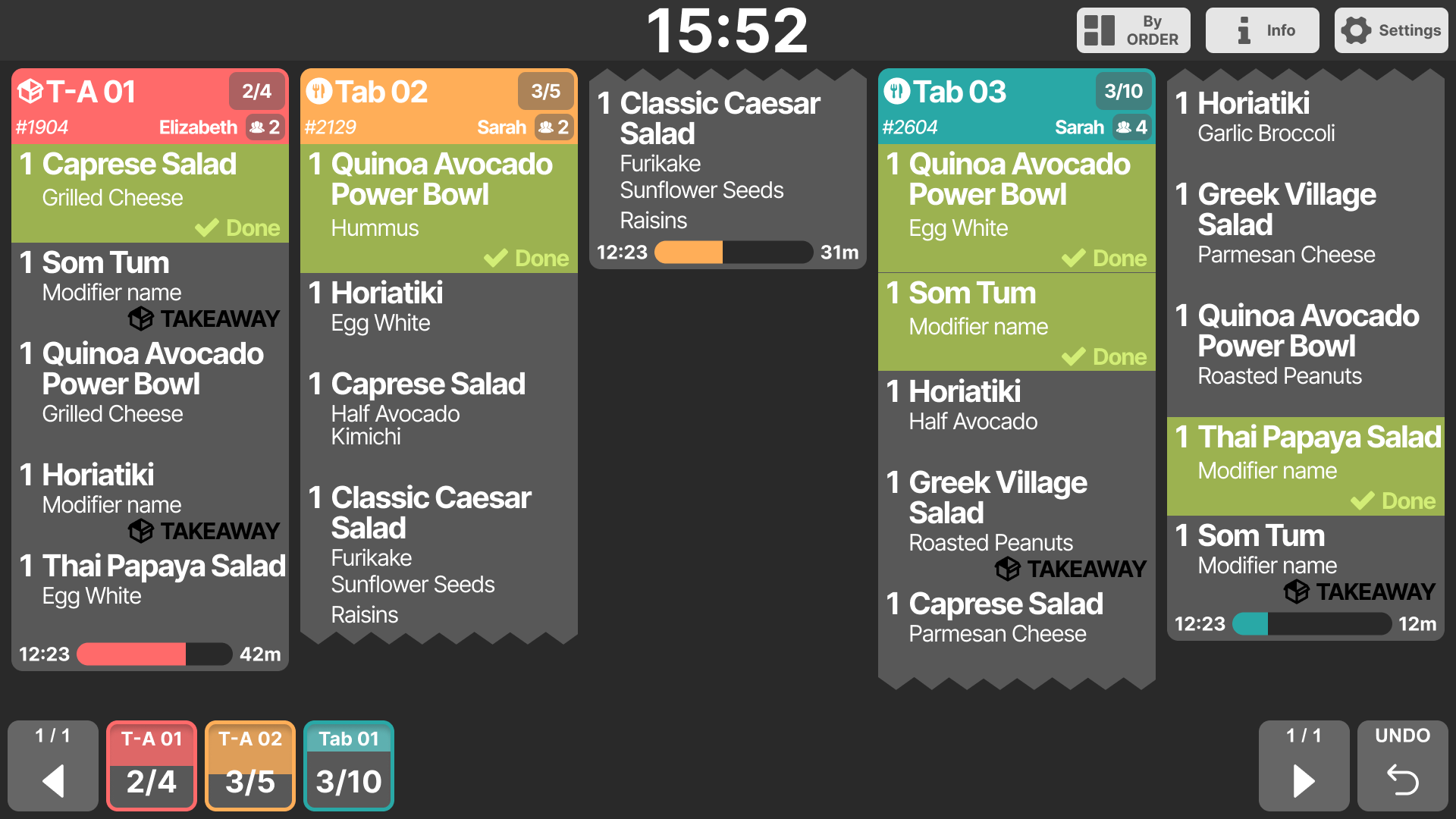
- Colour timersProgress bars with minutes, colour-coded by wait.
- Ticket countsSee 3/5 done on every ticket.
- Clear headersTable or takeaway, order number and server.
- Big clockTime always in view across the room.
- Done statesFinished items turn green with a tick.
Display modes
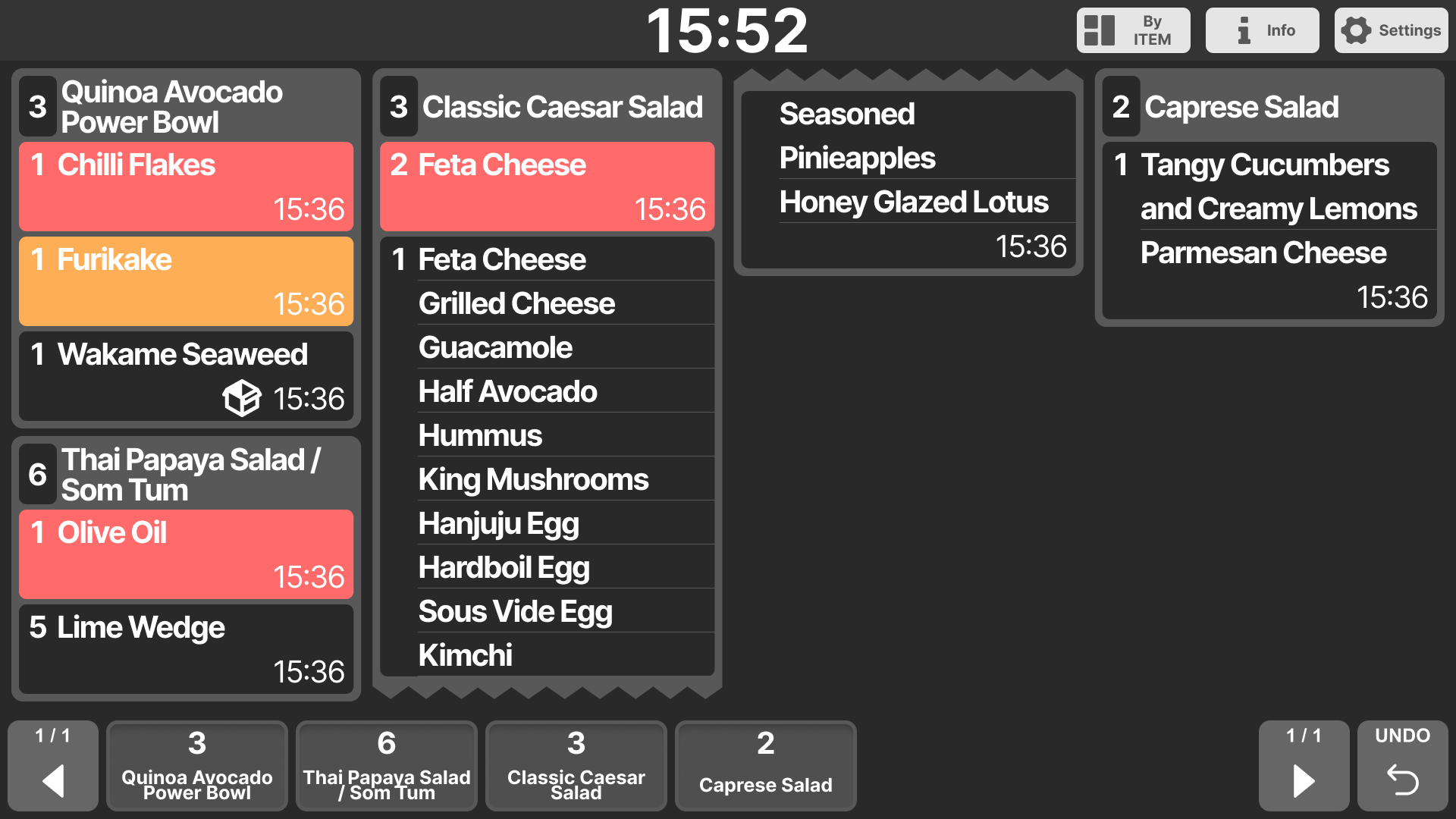
By order, or by item.
Arrange the screen by order tickets, or group every single item across orders.
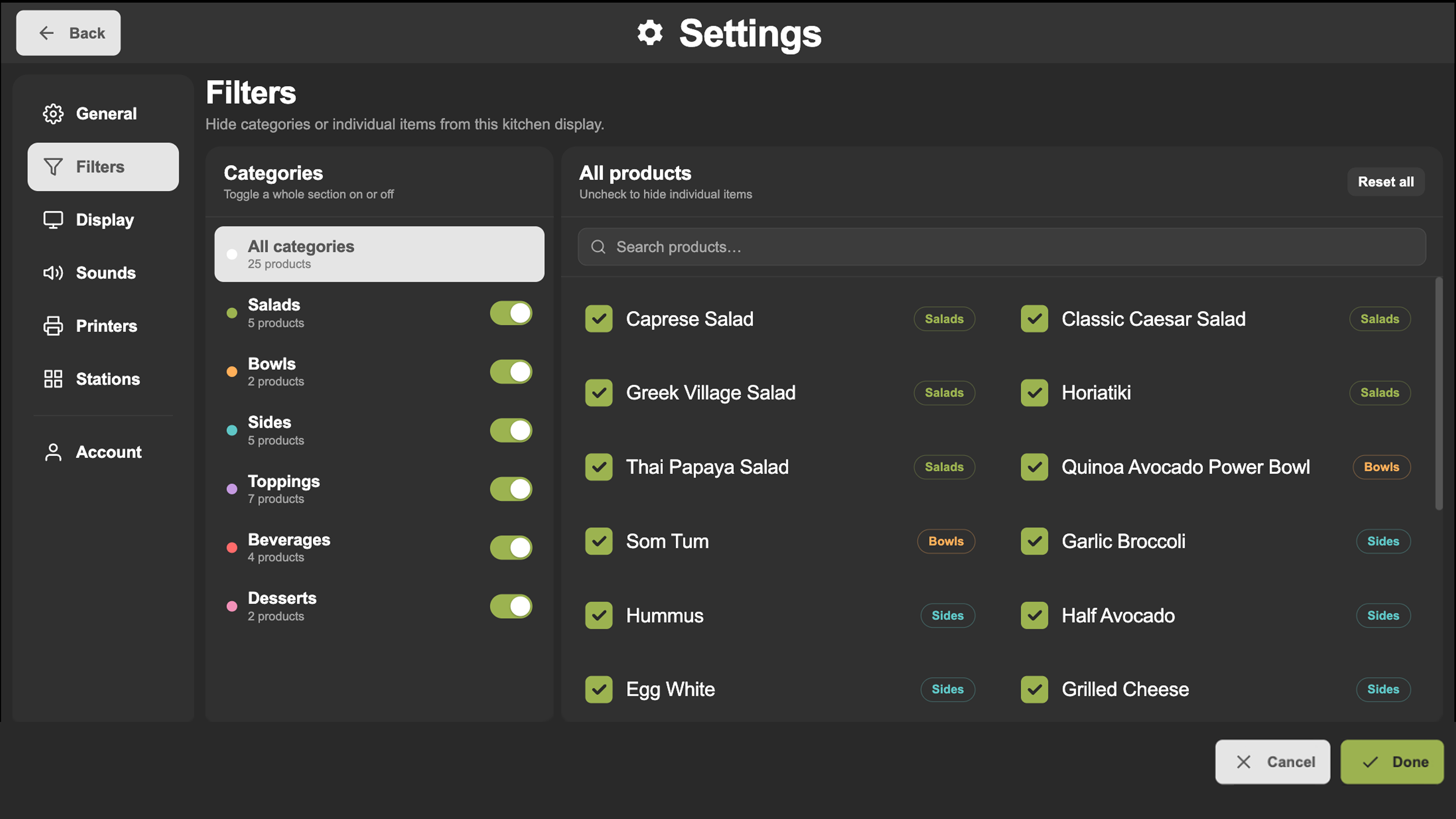
Settings
Each station sees only its work.
Filter each display by category or single product, so the salad bar, the grill and the drinks station each see just what they make.
- General
- Display
- Sounds
- Printers
- Stations
See it work. Try XPOS now.
Tap through the POS, the kiosk and QR ordering right in your browser. No sign-up.
Try it nowFree live demo · No credit card