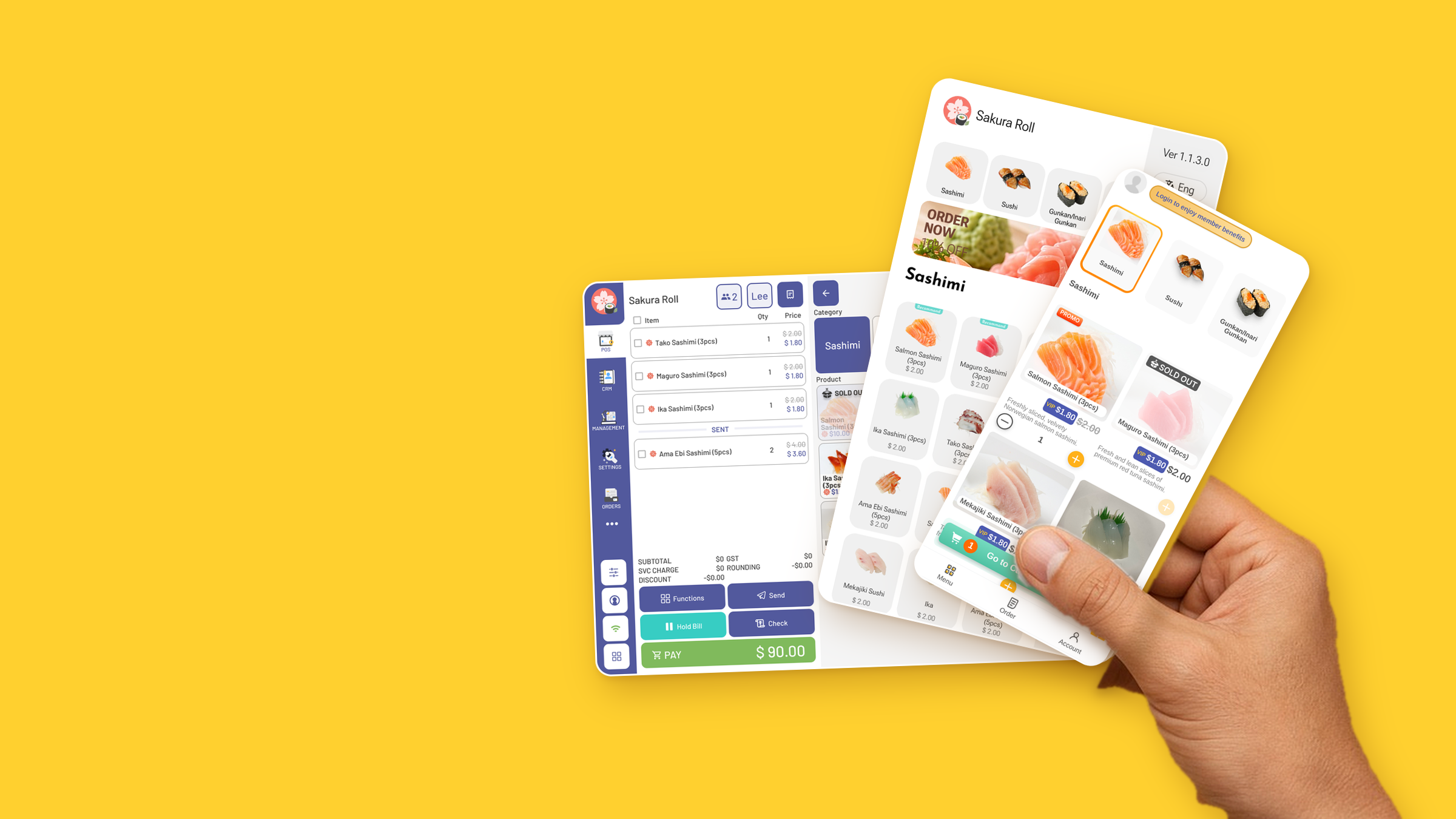
Scan. Order. Done.
Guests scan the QR at their table, order from their own phone and pay — no app to download.
Shown: Sakura Roll (iSushi demo)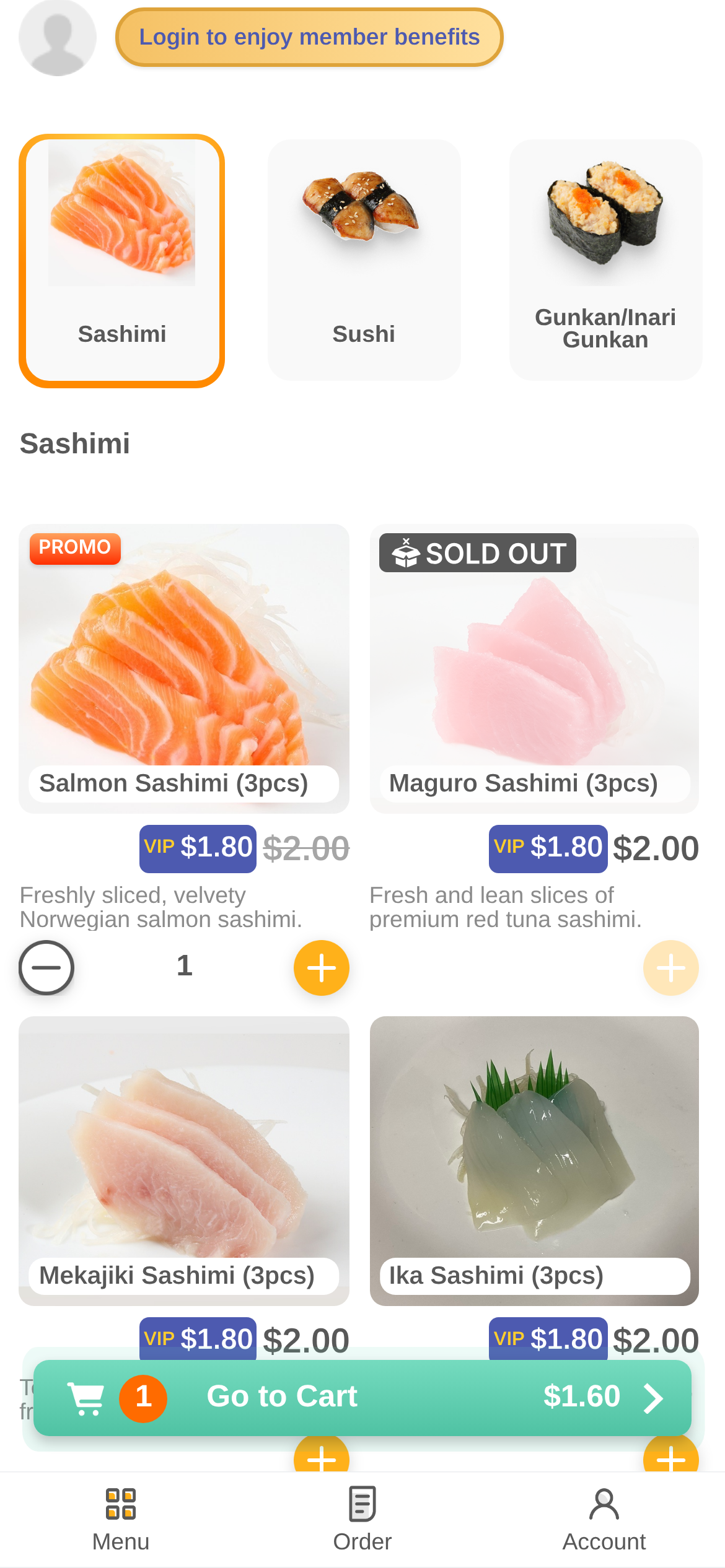
Ordering from the table.
Photo categories
Guests tap straight to Sashimi, Sushi or Gunkan.
VIP and promo prices
Members see their price next to the regular one.
Sold out, shown
Unavailable dishes are clearly marked.
Go to Cart
Item count and total, always one tap away.
Four steps, start to finish.
- 01
Scan the table QR
No app to download.
- 02
Browse the menu
Photos, prices and member prices.
- 03
Go to Cart
Review the order and send it.
- 04
Pay
PayNow, or pay at the counter.
One menu. Every screen.
The Sakura Roll (iSushi demo) menu runs on the counter, the kiosk and the guest's phone — same categories, same dishes.
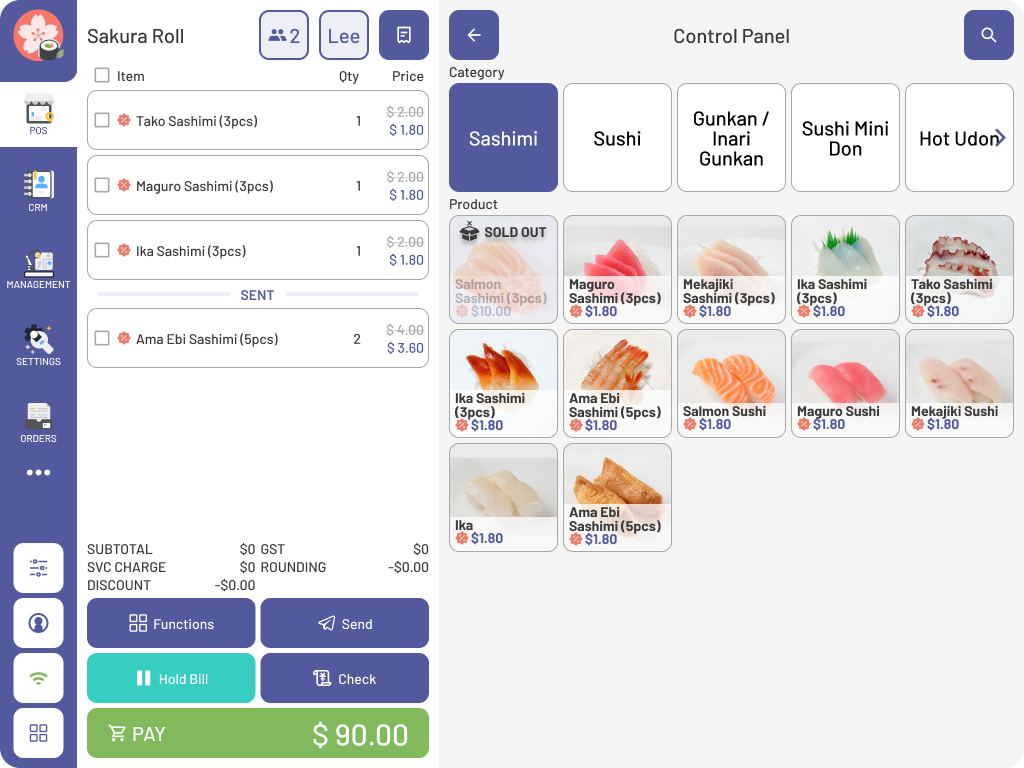
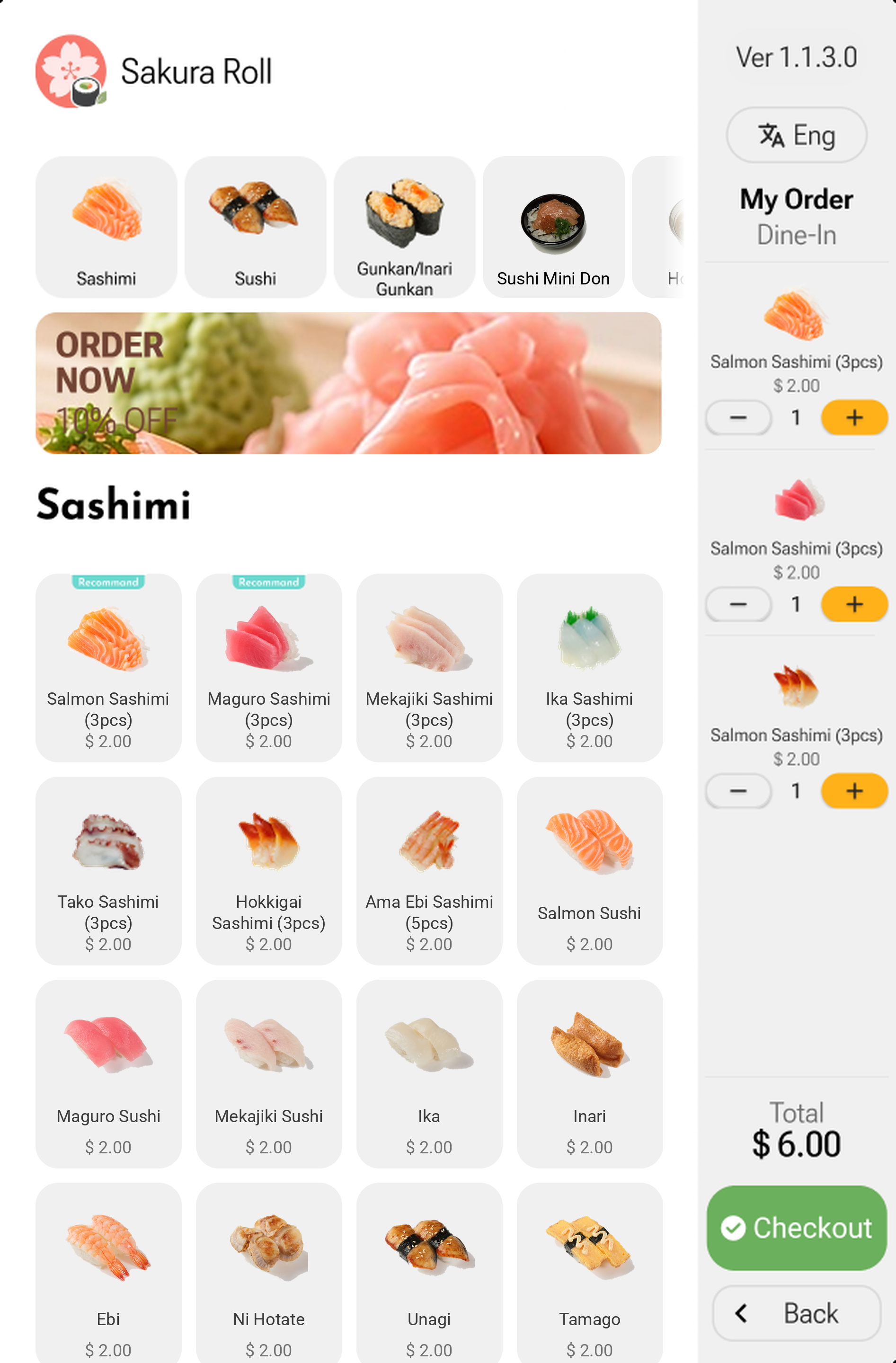
Connects with the XPOS ecosystem.
One menu, one member list, one set of orders — shared across every product.
Questions.
Do guests need to download an app?
No. They scan the QR at their table and order in the browser.
Where do orders go?
Into the same POS and straight to the kitchen display.
Which payments are supported?
PayNow, or pay at the counter.
Can members get their prices?
Yes. Guests log in to see member benefits and VIP prices.
See it work. Try XPOS now.
Tap through the POS, the kiosk and QR ordering right in your browser. No sign-up.
Try it nowFree live demo · No credit card